Over the past year, increased regulatory pressure in multiple regions like UK OFCOM and Australia's eSafety has led to higher operational costs, including infrastructure, security, and the need to work with more specialized service providers to keep the site online and stable.
If you value the community and would like to help support its continued operation, donations are greatly appreciated. If you wish to donate via Bank Transfer or other options, please open a ticket.
Donate via cryptocurrency:
Bitcoin (BTC):
Ethereum (ETH):
Monero (XMR):
ResourceUsing uBlock to hide chat notification badge
Thread starterhipipo
Start date
You are using an out of date browser. It may not display this or other websites correctly. You should upgrade or use an alternative browser.
Recently got access to chats feature, but the chat notification batch kept telling me that I had unread messages in the chat even when I was not in any rooms. I tried joining and leaving the chatrooms and even disabled chat but the badge was still there.
It was bothering me a lot so I used inspect tool to find the culprit and then used ublock to hide it.
If anyone else is bothered by that badge, here is how you can hide it permanently:
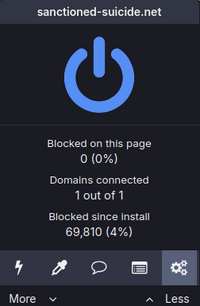
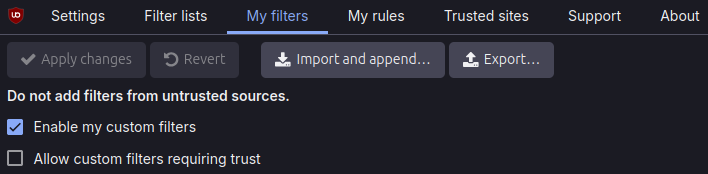
You can remove the chat badge using the browser extension uBlock Origin. Once installed, navigate to My Filters in the extension settings and add these two lines:
I use Brave's built-in adBlock feature to remove the chat button in its entirety—most ad blocker extensions can do the same job. The advantage of the Brave browser is that you can synchronize the adBlock settings across all your devices. But if you want to keep the chat button but without the highlighted badge, uBlock Origin is the only choice.
Filters are great to hide more UI elements such as reactions, reaction scores, and visual bloat. This is not to criticize the forum design but to modify it to my taste. The filters below are tested on the forum style Sanctioned Suicide: Dark (2022) only.
Recently got access to chats feature, but the chat notification batch kept telling me that I had unread messages in the chat even when I was not in any rooms. I tried joining and leaving the chatrooms and even disabled chat but the badge was still there.
It was bothering me a lot so I used inspect tool to find the culprit and then used ublock to hide it.
If anyone else is bothered by that badge, here is how you can hide it permanently:
Hallelujah it's finally fucking gone. Thanks
Fun fact: it's actually an indication of how many unique users are in any of the chatrooms overall, not how many messages you have. The only way to know how many messages you have (and it's only for private comvos) is to open the chat manually
Tried searching if there were similar threads before but nothing came up (probably because this comment is in forum suggestions). Oh well, more people might see it here.
This site uses cookies to help personalise content, tailor your experience and to keep you logged in if you register.
By continuing to use this site, you are consenting to our use of cookies.